Skip to content
Radically Simplified

Firewall Log Analyzer

All your logs. One firewall log analysis tool. Start free with 20 GB of storage and scale as you need.

  • No Credit Card Required
  • 7-day Free Trial
firewall traffic visualization

Log aggregation tool trusted by industry leaders

panasonic logo
budweiser budvar logo
O2 logo
jablotron logo
telco pro services logo
ssi schaefer logo
panasonic logo
budweiser budvar logo
O2 logo
jablotron logo
telco pro services logo
ssi schaefer logo

Collect, Analyze, Optimize. In One Place

Logmanager is a comprehensive firewall log monitoring and analysis tool, available as a virtual appliance for VMware, Hyper-V, or Proxmox environments. It automates log collection and provides insights for traffic monitoring, threat detection, and ensuring that your firewalls are functioning properly.

  • data retention icon 2

    Collect

    Use ready to use parsers for all common firewall vendors for automated, centralized log collection in your preferred format (syslog CEF, LEEF, RFP5424, and JSON).

  • log analytics icon 2

    Analyze

    Consistent data normalization, indexing, and customizable tagging ensure straightforward firewall log file analysis. Easily search logs without needing a query language.

  • quick deployment icon 2

    Optimize

    Create dashboards to monitor key metrics, patterns and trends in firewall traffic, use drill-down and contextual information for firewall log file analysis.

Explore Logmanager with an Interactive Demo

  • 4.9/5* Average customer rating
  • 140+ Benefit from native integrations
  • 50% Reduction of TCO
mac product tour image

All-in-One
Firewall Log Analysis Software

  • logmanager dashboard img

    Centralized log repository

    Gather firewall logs from Fortinet, Cisco, Check Point, Windows Firewall, and other vendors in one place to accelerate troubleshooting, support root-cause analysis, and improve firewall policy management.

  • Logmanager search interface

    Intuitive search

    Easily search and filter firewall logs by host, ports, protocols, source, device, or any other tag with natural query language.

  • custom alert definition via Blockly

    Custom alerts

    Use preconfigured rules or create custom ones based on thresholds, triggers, or correlations to receive notifications about security events, anomalies, and suspicious activity.

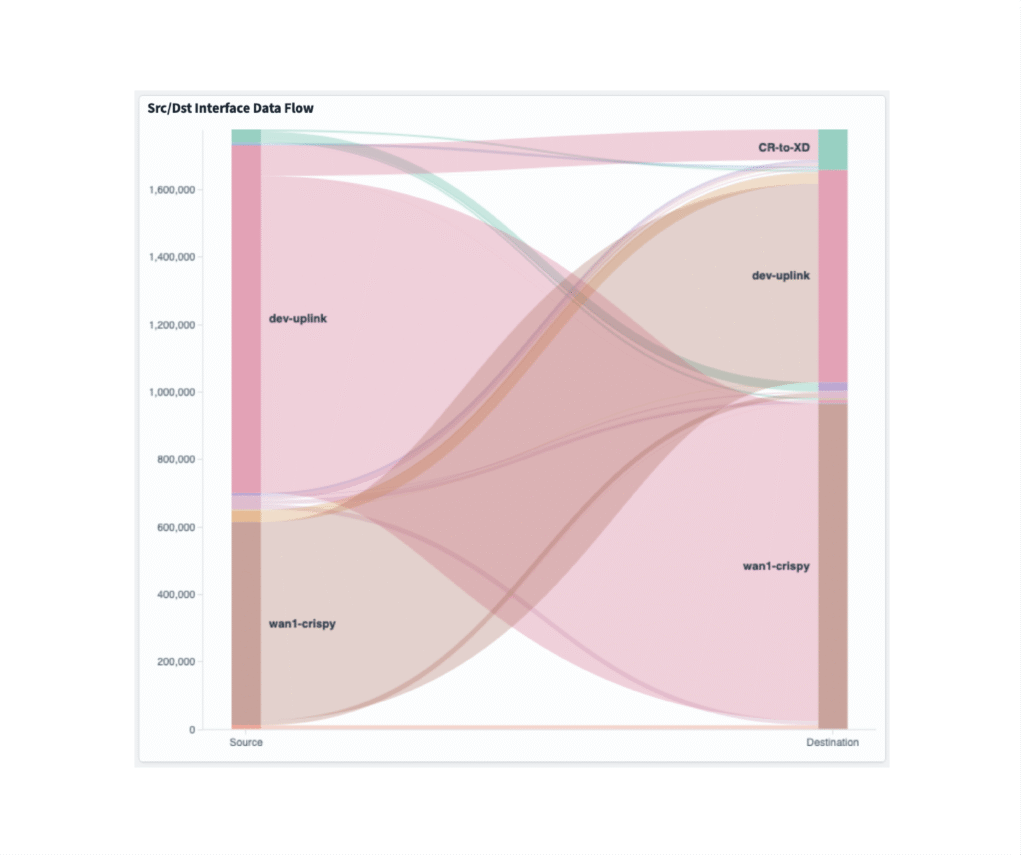
  • firewall traffic visualization

    Real-time visualizations

    Use out-of-the-box dashboards or customize your own to visualize traffic details, user activity, VPN usage, trends, and firewall rule changes through interactive charts and graphs with drill-down capabilities.

  • firewall reports img

    Comprehensive reporting

    Generate reports to gain visibility into firewall activity, track trends such as VPN logons, configuration changes, meet compliance and auditing requirements, or share insights with your peers.

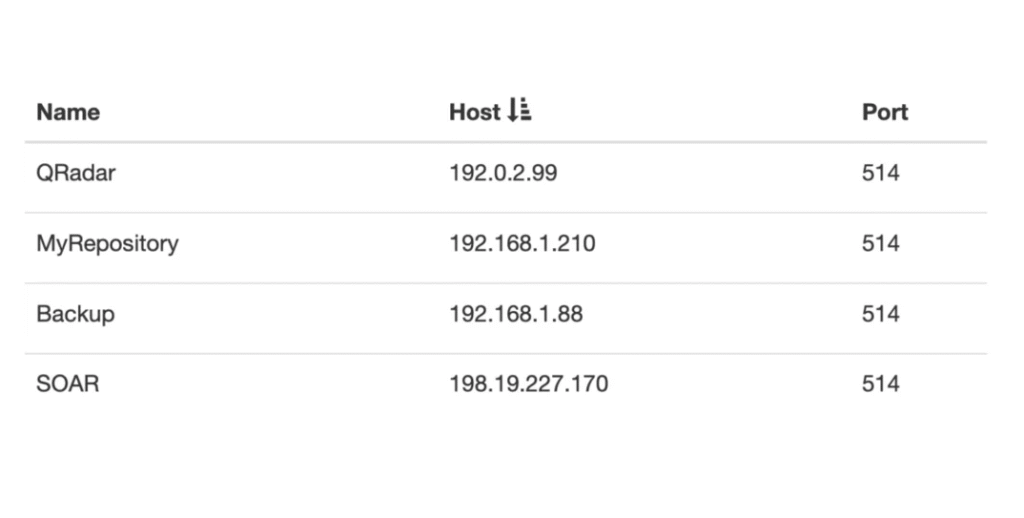
  • log forwarding logmanager example

    Flexible log forwarding

    Easily forward log files to your SIEM tool, ticketing system or any other application for troubleshooting, correlation, reporting, or any other use case.

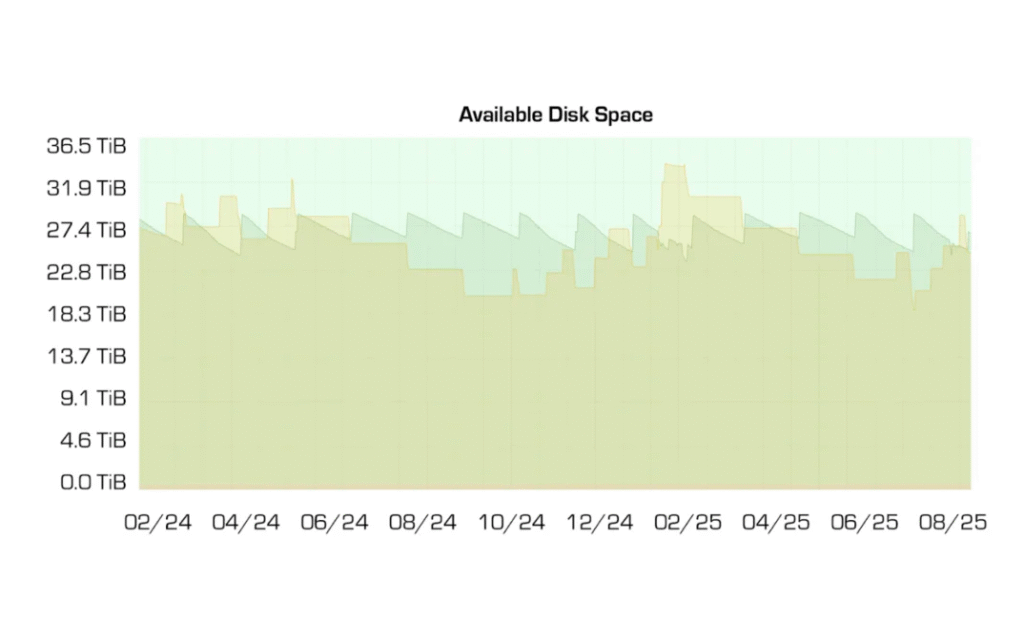
  • log retention available disc space

    Log retention

    Access firewall logs in real time and store them for a defined retention period for forensic analysis and compliance purposes.


See Why Your Peers Love Logmanager

stars

Considering its features and moderate pricing, Logmanager offers excellent value for money

Ivo N. Chief Security Architect 501-1000 employees
capterra logo
stars

Quick time to value, easy to use. Simple and effective way how to solve all log related tasks.

Jiri V. ICT manager 51-200 employees
G2 logo
stars

I appreciate real-time log monitoring, which helps in quickly identifying and reacting to issues as they occur.

Vaclav K. Security Architect u003c50 employees
capterra logo
stars

The time to value is almost immediate, providing valuable insights right away.

Jan T. CSA 501-1000 employees
G2 logo
stars

With Logmanager we've got a complete overview of what's going on in our infrastructure.

Ivan G. IP Network Manager 51-1000 employees
capterra logo
stars

Compared to other products, Logmanager stood out due to its intuitive interface, ability to efficiently enrich logs, and outstanding performance.

Daniel S. Head of IT 501-1000 employees
stars

Considering its features and moderate pricing, Logmanager offers excellent value for money

Ivo N. Chief Security Architect 501-1000 employees
capterra logo
stars

Quick time to value, easy to use. Simple and effective way how to solve all log related tasks.

Jiri V. ICT manager 51-200 employees
G2 logo
stars

I appreciate real-time log monitoring, which helps in quickly identifying and reacting to issues as they occur.

Vaclav K. Security Architect u003c50 employees
capterra logo
stars

The time to value is almost immediate, providing valuable insights right away.

Jan T. CSA 501-1000 employees
G2 logo
stars

With Logmanager we've got a complete overview of what's going on in our infrastructure.

Ivan G. IP Network Manager 51-1000 employees
capterra logo
stars

Compared to other products, Logmanager stood out due to its intuitive interface, ability to efficiently enrich logs, and outstanding performance.

Daniel S. Head of IT 501-1000 employees

Seamlessly aggregate logs from any stack using 140+ built-in integrations

  • microsoft 365 logo
  • fortinet logo
  • cisco logo
  • apache logo
  • nginx logo
  • mikrotik logo

Let's Get Started

  • 1

    Demo

    Connect with an expert who will guide you through Logmanager in a personalized product demo. No strings attached.

  • 2

    Try

    Get a hands-on experience with our interactive demo. Explore its features and discover how it can meet your needs.

  • 3

    Deploy

    Download the virtual appliance, deploy it in 30 minutes, and enjoy the full-featured Logmanager free for 7 days.

Get in touch

Would you like to know more about Logmanager's firewall log analysis tool?

Firewall Log Analyzer FAQ

  • A firewall log analyzer is a tool that collects and processes logs generated by your firewall. These logs contain detailed information about network traffic, including allowed and blocked connections, IP addresses, ports, and protocols.

    The analyzer organizes this data into a readable and searchable format, often with charts or filters, so you can quickly identify trends, detect suspicious activity, or troubleshoot network issues.

    In short, a firewall log analyzer helps you make sense of what’s happening at the network perimeter by turning raw firewall logs into clear, actionable insights.

  • Logmanager centralizes log collection from various firewall vendors, such as Fortinet, Cisco, Check Point, Windows firewall and others. Once collected, it automatically parses and normalizes the data with built-in parsers, so you can easily search, filter, and correlate logs across your network.

    Once the data is in Logmanager, you can quickly drill down into specific events, IP addresses, or users with fast search, filters, tags, and metadata. This makes it simple to trace connections, investigate blocked traffic, or uncover unusual activity, track trends such as VPN logons, monitor firewall configuration changes, all without wading through thousands of raw log lines.

    Dashboards and alerts help visualize firewall activity and highlight potential security issues before they escalate.

    In short, Logmanager turns raw firewall logs into structured, searchable insights that make network monitoring and troubleshooting much more efficient.

  • Yes, Logmanager’s free plan supports firewall log collection, analysis, and retention. The free firewall log analyzer includes over 140 built-in parsers for the most common technologies and enables centralized firewall log analysis with powerful search and filtering, alerts, dashboards, and reports. It also provides a central repository for storing and retaining firewall log files.

    The only limitation is the storage capacity. Up to 20 GB of logs can be stored at any given time. Once the limit is reached, the oldest data is automatically overwritten by new logs.

    You can download this free log analyzer here.

  • There’s no single “best” firewall log analyzer for every small business. The right choice depends on your IT team’s size and experience, your budget, the complexity of your IT environment, and how much time you want to spend on setup and maintenance.

    If you have a technically skilled team and prefer full control, open-source options like the Elastic Stack (ELK) can be a good fit. You can point your firewall logs to Elasticsearch and visualize them in Kibana. This setup is flexible and powerful, but it does take time to install, configure, and maintain, especially if your team hasn’t worked with similar tools before.

    If you’re looking for something easier to manage, commercial solutions such as Loggly or Logmanager provide built-in dashboards, alerts, and reporting out of the box. These tools save time on setup and maintenance and are ideal if you want quick, reliable insights without dealing with infrastructure.

    For smaller teams or tighter budgets, Logmanager’s free firewall log analyzer can be a great starting point. This is a good option, especially if you don’t require long-term log retention. It supports firewall log collection, analysis, and retention with all the essentials included, so you can get immediate visibility without upfront costs.

  • We believe in transparency, so you can explore Logmanager’s firewall log analyzer capabilities in the way that suits you best.

    Book a demo with an expert – Get a personalized introduction to Logmanager and see how it can fit your specific use case.

    Access the interactive demo – Explore the UI and key features in minutes, no setup required. Perfect for getting a feel for Logmanager’s interface and capabilities.

    Try a 7-day free trial – Dive deeper by connecting your own data and experiencing how Logmanager performs in your environment.

    Start with the free version – Enjoy a full-featured Logmanager with 20 GB of included storage.

    Nothing hidden and nothing complicated. Just an easy, flexible way to experience Logmanager on your own terms.